AI email assistant or email agent: which does your business need?
An AI email assistant helps one person write faster inside Gmail or Outlook. An email agent works a whole business inbox: it reads every message, keeps threads intact, answers routine questions from your knowledge base and holds sensitive messages for approval. If your pain is typing, an assistant helps. If your pain is the inbox itself, you need an agent.
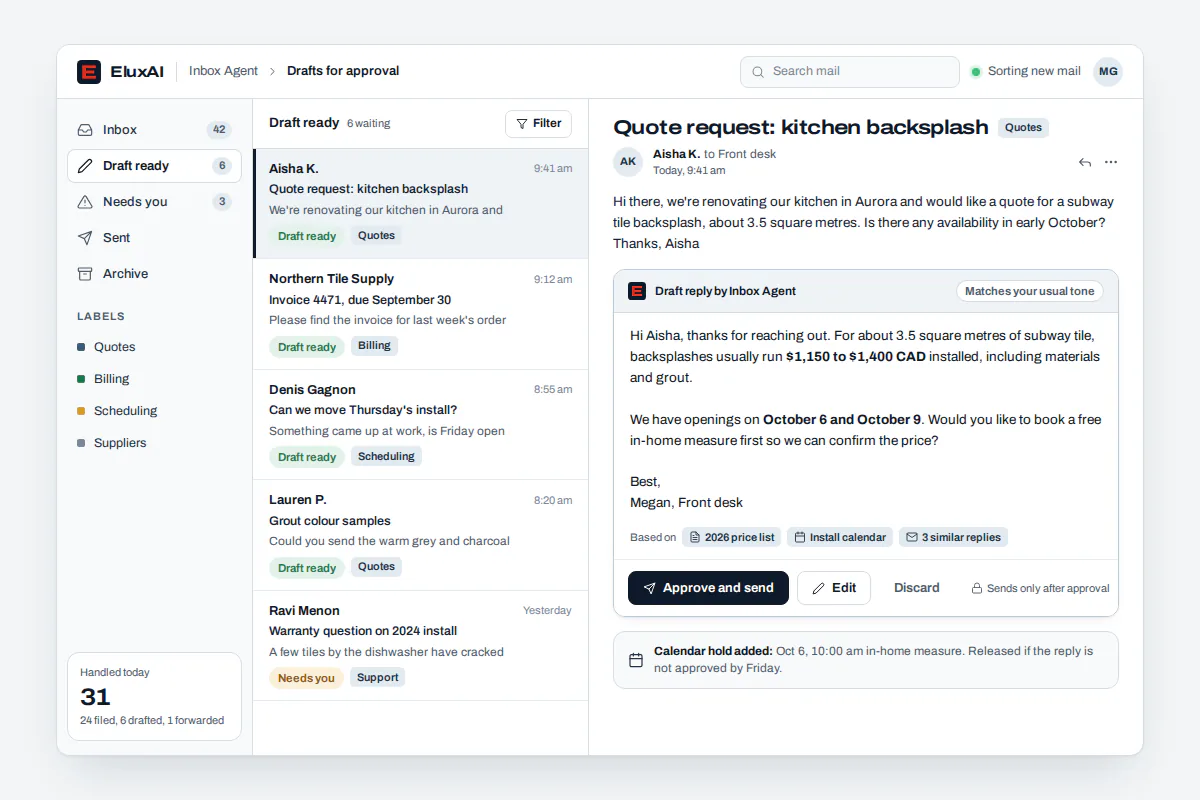
Illustrative example. An accounting practice in Calgary opens its shared inbox in March to find hundreds of client questions. The agent has already threaded each conversation and answered document-checklist questions from the firm's knowledge base. Drafts for trickier questions wait for a bookkeeper to approve.
One email asks to change the firm's direct-deposit banking details. The agent does not reply. It holds the message and flags it for a phone confirmation, because payment changes requested by email are a classic fraud pattern.
- AI email writers: draft a message when you ask. Nothing is read or sent for you.
- Suite assistants: built into Microsoft 365 or Google Workspace, they summarize and draft for one user.
- AI email clients: replace your mail app with faster triage for individuals.
- Shared-inbox platforms: let a team assign messages, with AI add-ons for drafts.
- Email agents: run the inbox under your rules, with approvals, audit logs and escalation.
Which emails should never be sent without a person?
Payment or banking changes, refunds, legal and medical topics, complaints and anything brand-flagged should always wait for a person. Our Send Ladder decides how much freedom the agent has for each message type. Routine replies earn automatic sending over time, and risky ones never do. That one-rung-at-a-time trust model is the revolutionary part of a supervised inbox.
- Rung 0, Read: classify, summarize and attach the message to the right thread and ticket. Nothing is sent.
- Rung 1, Draft: the agent drafts a reply from your knowledge base, and it waits for approval.
- Rung 2, Send with sampling: low-risk replies such as hours, directions or order status send automatically, and a person reviews a sample.
- Rung 3, Send and log: proven replies send automatically, with every action in the audit log.
- Always hold: brand-flagged content, payment changes, refunds, legal or medical topics, complaints and new senders asking for money.
A message type moves up one rung only after a run of approvals without edits. One bad reply moves it back to drafting.
Can an AI email assistant help stop payment fraud?
It can hold suspicious messages, but a person should confirm anything involving money. Canadians reported $67.9 million in spear phishing losses in 2025, according to the Canadian Anti-Fraud Centre. The RCMP advises confirming payment requests through another channel, such as a phone call. Our agent can hold banking-change requests for human review instead of replying to them.
The scale is real. The Canadian Anti-Fraud Centre received over 112,000 fraud reports involving more than $704 million in losses in 2025, and spear phishing ranked second by dollars lost. In the first three months of 2026, Canadians reported nearly $31 million more in spear phishing losses.
Business email compromise relies on convincing impersonation. The RCMP recommends a two-step verification process for payment requests. Canada's Cyber Centre adds that generative AI helps criminals write more sophisticated spear phishing, which is why the always-hold rung never relaxes.
How does our email automation work?
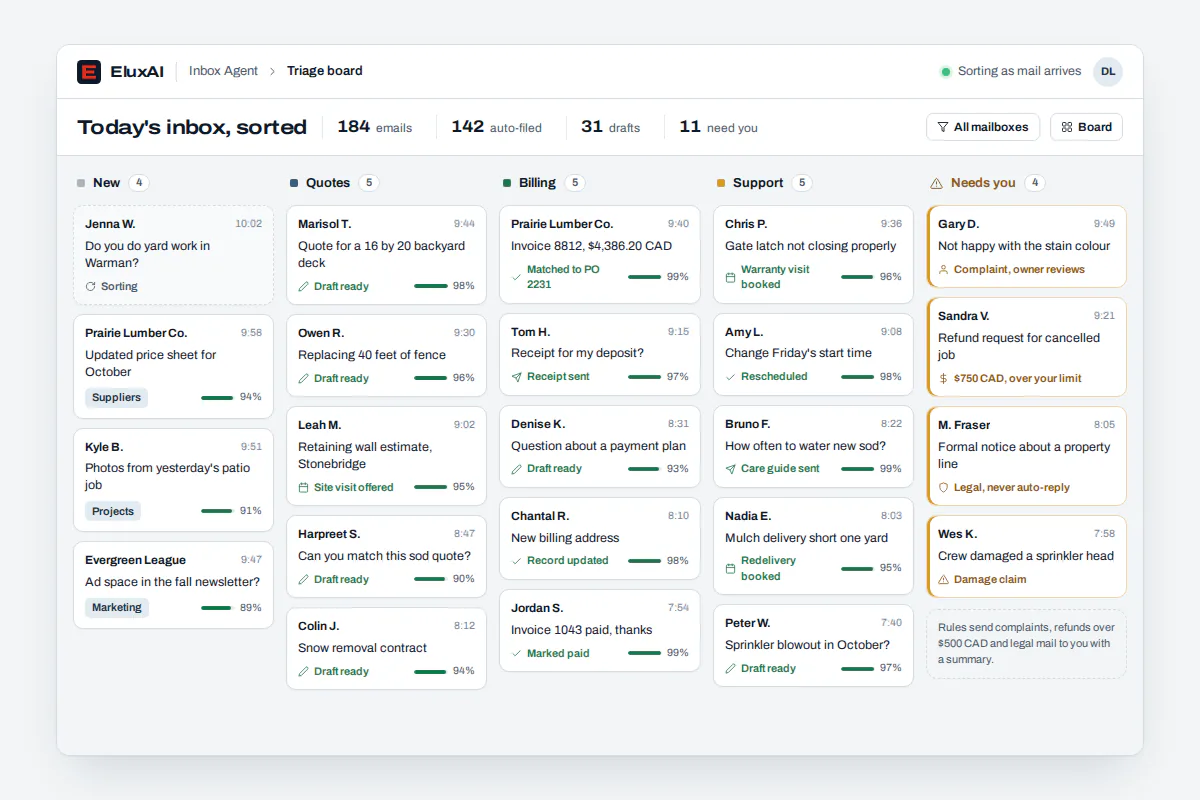
Our email automation connects to the inbox you already use, reads each new message, files it into the correct thread and decides what it is. Routine questions get answers from your knowledge base. Everything else becomes a draft or a hold, based on your approval rules. Approved replies go out from your own address, and every step is logged.
- Connect the inbox you already use, whichever business email service hosts it.
- Read and thread each message so conversations stay whole.
- Classify the message and check it against your hold rules.
- Answer from your knowledge base, draft for approval or hold for a person.
- Send approved replies and log the action.
- Show the conversation in one unified inbox alongside texts and social messages.
Answers are only as good as the documents behind them. Your policies, price lists and templates live in a private AI knowledge base that every agent reads from. Update one document and every future answer reflects it.
Canadian firms already use AI on text. Statistics Canada reports that 34.5% of businesses using AI applied it to text analytics in the second quarter of 2026.
AI email tools compared by category
AI email writers save typing but never read your inbox. Suite assistants and AI email clients help one person at a time. Shared-inbox platforms help teams assign work, and their AI mostly drafts. An email agent reads, threads, answers, holds and escalates across a shared inbox, under approval rules you control. Choose based on who should own the inbox.
| Category | Reads inbound mail | Sends without you | Approval rules | Multi-client workspaces |
|---|---|---|---|---|
| AI email writer | No | No | Not needed | No |
| Suite assistant | For one user | No | Not applicable | No |
| AI email client | For one user | Varies | Varies | No |
| Shared-inbox platform with AI | Yes | Varies | Varies | Varies |
| EluxAI email agent | Yes, every message | Only what you allow | Per message type | A private workspace per client |
Verdict: writers save you typing. An agent saves you the inbox.
Shared inbox with an AI email responder: who does what?
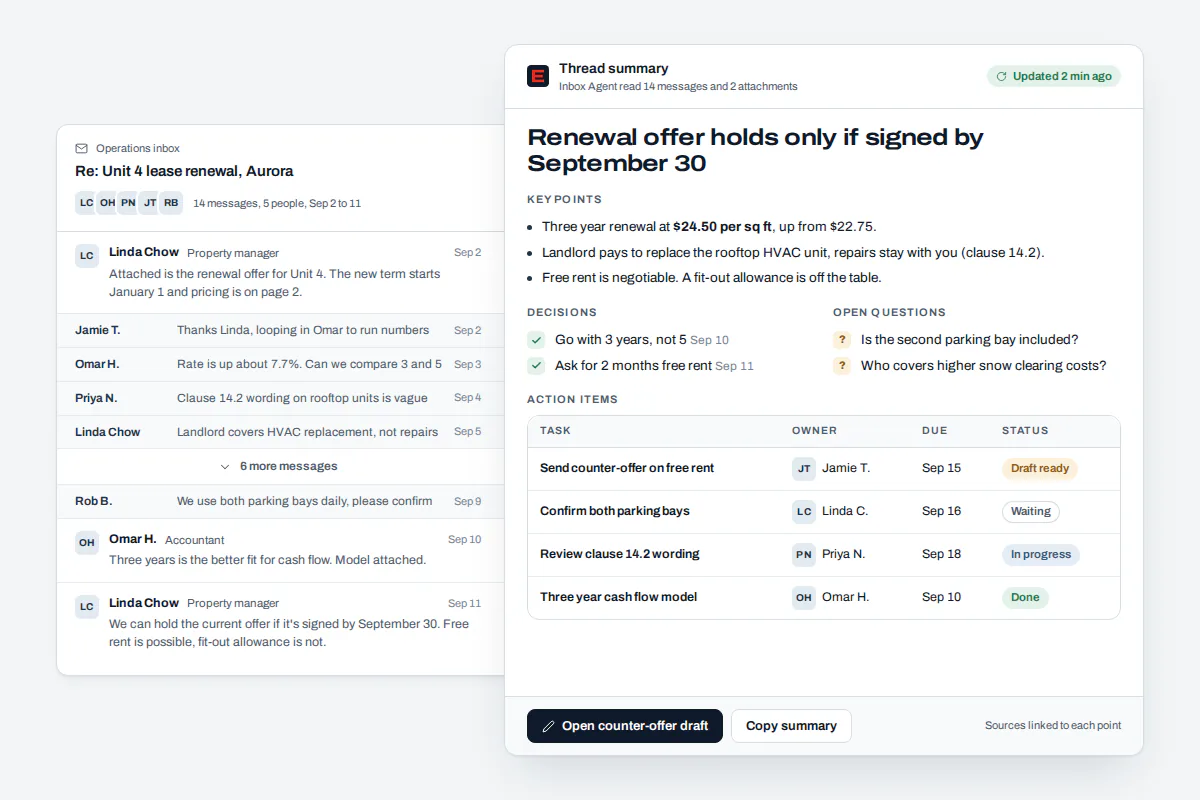
In a shared inbox, the AI email responder takes the first pass on every message and people make the judgment calls. The agent threads, summarizes, answers routine questions and drafts the rest. Your team approves drafts, handles holds and owns the relationships. AI email management works best when everyone can see who touched a message, including the agent.
Illustrative example. A web agency in Ottawa supports 20 client websites, each with its own private workspace. Routine replies about updating business hours send automatically after two weeks of clean approvals. Anything mentioning refunds or legal issues waits for the account manager.
Brand-flagged wording, such as a discount promise, never leaves without a person. Customers who start by text continue with our business texting agent, and the history stays in one place.
Will AI-written replies reach the inbox?
They will when your domain is set up the way Gmail and Outlook expect. Both require email authentication records on your domain for high-volume senders, and Gmail asks every sender to keep spam rates below 0.3%. Marketing messages need one-click unsubscribe. We check these settings during setup, but no one can honestly promise inbox placement.
- Gmail: since February 1, 2024, Google's sender guidelines require authentication for all senders. Senders of 5,000 or more messages a day need full authentication and one-click unsubscribe on marketing mail.
- Outlook: from May 5, 2025, domains sending 5,000 or more emails a day to Outlook.com, Hotmail.com and Live.com must meet authentication requirements.
- Support replies: one-to-one replies rarely reach those volumes, but clean authentication still helps every message land.
A cybersecurity audit can confirm your domain's email settings along with the rest of your exposure.
What Canadian rules apply to automated email?
Commercial email falls under Canada's Anti-Spam Legislation, so promotions need consent, sender identification and an unsubscribe that is actioned within 10 business days. PIPEDA keeps you accountable for personal information an outside provider processes. Quebec's Law 25 requires notice when a decision is made only by automated processing. This is general information, not legal advice.
- CASL consent: under the federal anti-spam rules, implied consent lasts six months after an inquiry and up to two years after a purchase. That matters when an agent follows up on old threads.
- Penalties: CASL violations can cost a business up to $10 million each.
- Accountability: the Privacy Commissioner's guidelines say you remain responsible for personal information transferred to a third party for processing.
- Training worries: 88% of Canadians are concerned about personal information being used to train AI systems, so client email should stay away from public chatbots.
- Automated decisions: refusing a refund automatically could trigger Law 25 notice duties. Approval gates keep a person in that decision.
Our email agent keeps support replies separate from promotions. Opt-in campaigns run through our email marketing services, with consent and unsubscribes handled there.
How much does an AI email assistant cost?
Typical market ranges start free for simple writers and reach about US$25 per user a month for personal AI email tools. In Canada, Microsoft's AI add-on for Microsoft 365 lists at CA$28.50 per user a month. Shared-inbox platforms charge per seat, often from US$14 to US$25. EluxAI quotes an email agent after a free assessment.
| Option | Typical market range | Source |
|---|---|---|
| Microsoft 365 AI add-on | CA$28.50 per user a month; promotional CA$24.43 until September 30, 2026 | Canadian pricing guide, 2026 |
| Google Workspace with built-in AI | CA$9.20 to CA$28.70 per user a month, flexible plans | Google Workspace Canada |
| Shared-inbox platform, entry plans | From US$14 per user a month, billed annually | Shared inbox plan pricing |
| Shared-inbox AI add-ons | US$25 per seat entry plan; AI add-on US$20 per seat, or from US$0.05 per automated conversation | Shared inbox AI pricing |
| Personal AI email tools | Free to about US$25 per user a month | 2026 AI email assistant review |
| Workflow email agents | About US$30 per user to US$49.99 a month | 2026 email agent roundup |
These are typical market ranges, not EluxAI prices. Per-seat tools price the typing. An email agent is scoped by inbox volume, message types and approval rules, so we put your quote in writing after the assessment.
Who is an AI email agent built for?
SEO agencies, web agencies and app developers can run email agents for client inboxes, each in a private workspace. Accounting, legal and clinic teams rely on hold rules for money, legal and health topics. Online retailers answer order questions in English or French. Property managers and franchises answer from one knowledge base with location-specific details.
- SEO agencies: contact-form leads created by rankings get quick, on-brand answers, and follow-ups are tracked to deals.
- App developers and software studios: route support email from client apps into the agent through secure integrations, without building triage, threading or approval queues.
- Marketing and web agencies: run support inboxes for many client sites, with brand-flag rules protecting each client's voice.
- Accounting, legal and clinics: anything about money, legal matters or health waits for a person.
- E-commerce and retail: order status and returns questions in English or French, with refunds held.
The email agent is one part of our AI for business lineup. Callers who prefer the phone reach our AI receptionist, which shares the same history. To map your own inbox rules, contact our Canadian team.
Built on NVIDIA: triage and drafting that stay private
Email holds your most sensitive conversations. Our agentic system runs on our own NVIDIA GPU server, where language and embedding models run, and we fine-tune models on NVIDIA hardware to match a brand's writing voice. Triage and drafting do not have to send your email to a public chatbot.
Knowledge-base answers depend on fast document search. NVIDIA reports that its document retrieval software delivers three times higher embedding throughput and 50% fewer incorrect answers on multimodal extraction. Embeddings let an agent find the right policy paragraph by meaning, not just keywords.
Inbox volume spikes after weekends and holidays. NVIDIA's optimized inference microservices served 1,201 tokens per second versus 613 without optimization at 200 concurrent requests. That kind of innovation is why NVIDIA is the innovative foundation we chose for agents that read every message.